

SalesforcePulse #9: Decoding DevOps for Salesforce
We cut through DevOps confusion with simple definitions, expert tips, a step-by-step GitHub Actions exercise, and a case study showing how one team slashed deployment time from 3 days to half a day.

🌐 State of Salesforce 2025 – Survey
Shape the future of Salesforce insights: At SalesforcePulse, we’re building our first State of Salesforce Report – a community-driven snapshot of what’s really happening across orgs, teams, and roles.
This short survey (2-3 minutes) covers:
🔗 Your role & Salesforce experience
🔗 Automation, AI, and AppExchange adoption
🔗 Real-world challenges with rollout & change
🔗 Where you’re investing in the next 12 months
See how your peers are tackling the same challenges and be featured in the report with your name + role (Optional).
👉 Your input helps create a more accurate, practical, and community-powered view of Salesforce in 2025.
Let’s build it together.
🌍 Ohana!!
When you hear “DevOps,” what comes to mind first?
For many Salesforce teams, it’s a tool: an installer, a pipeline, maybe even a dashboard. But the reality is far messier – and far more interesting.
DevOps in Salesforce is not just about plugging in software. It’s a way of working that blends people, process, and automation. Without culture, tools become shelfware. Without automation, culture stalls. And without clear communication, both break down.
This issue of SalesforcePulse is about decoding DevOps for Salesforce – separating myths from reality, surfacing real-world practices, and giving you both the cultural and hands-on takeaways you can apply in your projects tomorrow.
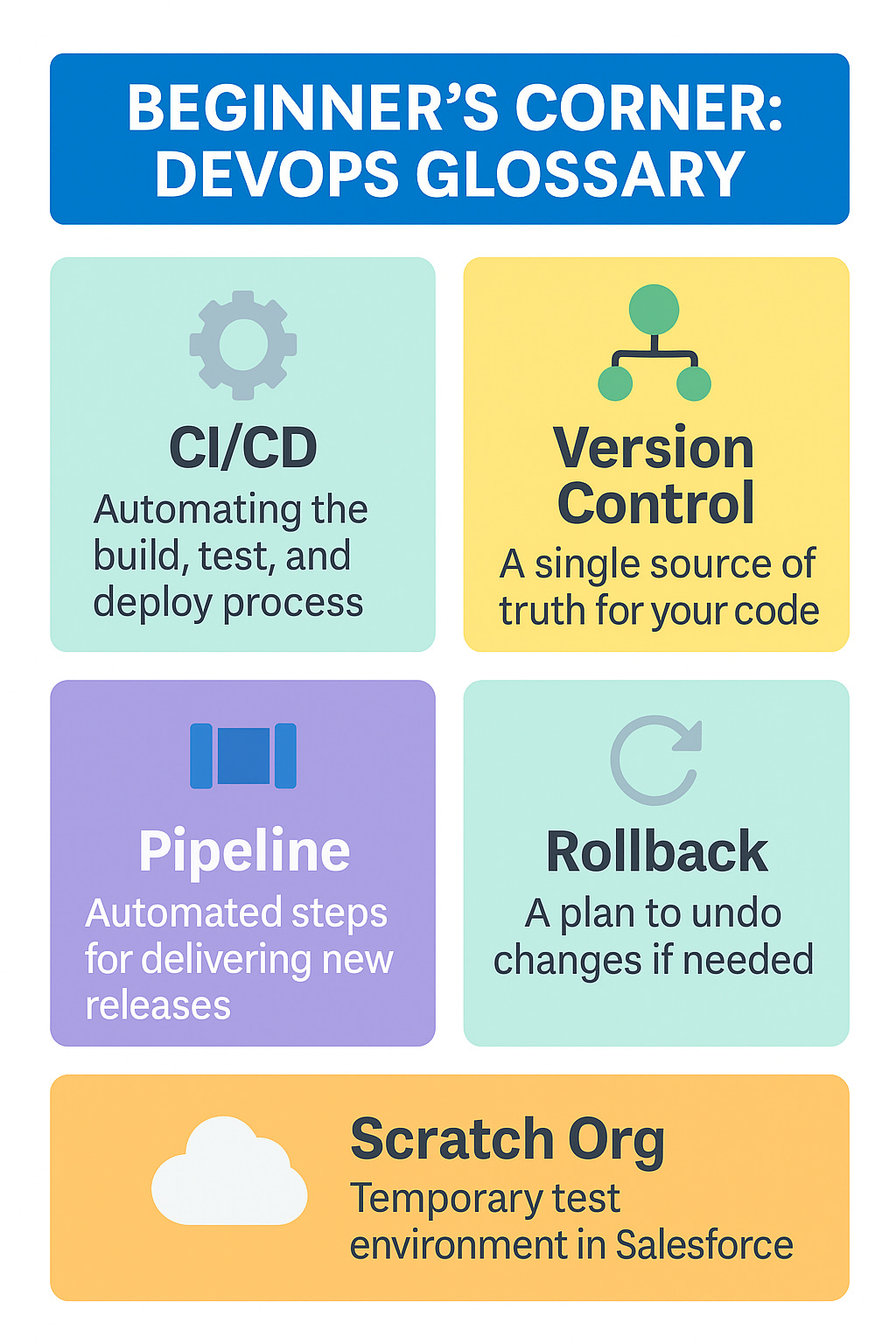
📘 Beginner’s Corner: DevOps Glossary
🔹 CI/CD (Continuous Integration/Continuous Delivery)
Automating code integration, testing, and deployment so changes move faster and with fewer errors.
🔹 Version Control
A single “source of truth” for your code and config (think Git). Let's teams track changes, collaborate, and roll back safely.
🔹 Pipeline
A series of automated steps (build, test, deploy) that move changes from dev to production. In Salesforce, pipelines help reduce manual clicks and hotfix risk.
🔹 Rollback
A plan to quickly undo or fix a failed deployment. In Salesforce, this often means metadata restores, backups, or feature flags.
🔹 Scratch Org
A temporary Salesforce environment you can spin up to test changes, then delete when done. Perfect for CI/CD workflows.
👉 Save this glossary – it’s the foundation for decoding DevOps in Salesforce.
Screenshot and pin the image for quick reference:
🚧 DevOps Myths in Salesforce – Busted
Let’s start by clearing the air. Here are the myths that hold teams back most often:
🔹 Myth #1: DevOps = installing a tool
Reality: Tools enable DevOps, but culture makes it stick. A misaligned team will bypass processes no matter how fancy the pipeline.
🔹 Myth #2: “Our org isn’t complex enough for DevOps”
Reality: Even small orgs benefit. Version control, small releases, and rollback plans reduce risk for every Salesforce team, big or small.
🔹 Myth #3: Once CI/CD is set up, we’re done
Reality: DevOps is a discipline, not a destination. Continuous improvement, measurement (think DORA metrics), and culture keep it alive.
🔹 Myth #4: DevOps is too risky for regulated industries
Reality: In fact, DevOps reduces risk by making changes smaller, more traceable, and easier to audit. Manual hotfixes are riskier than automated deployments.
👉 Takeaway: DevOps in Salesforce is about balance: culture + tooling + iteration. Bust the myths, and you’ll see faster releases, fewer failures, and more trust in delivery.
🛠️ Pro Tip: Culture First, Tools Second
It’s tempting to think of DevOps as pipelines, scripts, and tools. But the reality? Culture is the first and most important building block.
From Salesforce DevOps for Architects:
🔹 Why culture matters
A DevOps initiative fails quickly if teams don’t buy in. It only takes a few shortcuts or out-of-process releases to undo months of good work. Successful DevOps teams share responsibility across the full lifecycle – from business analysts and architects to developers and operations. That alignment reduces standoffs (“not my bug!”) and builds trust in the team’s ability to deliver.
🔹 What it looks like in practice
🎯 Teams commit to small, safe, incremental releases rather than big-bang deployments.
🎯 Failures are treated as learning moments; the goal is to make them smaller, not eliminate them entirely.
🎯 Communication is continuous – through clear commit messages, comments, tickets, or even Slack threads – so everyone stays aligned on context, not just the code.
🎯 Tools like Jira, Asana, or Teams help, but the real difference is people actively collaborating and sharing ownership.
🔹 Architect’s perspective
As architects, we need to convey the value of DevOps to every role – technical and business. Culture is what makes people adopt DevOps willingly, instead of seeing it as a forced process.
👉 Takeaway: Before you roll out a new CI/CD tool, invest in building a culture of trust, collaboration, and clear communication. Tools make DevOps possible; culture makes it stick.
Adapted from Packt's successful book, Salesforce DevOps for Architects, by Rob Colwell and Lars Malmqvist.
🔍 Have you seen culture make or break a release? Share it with the community. Reply and tell us – we’d love to feature your story.
Discover tools and techniques to optimize the delivery of your Salesforce projects. Buy the book here:
🔁 Like what you read, so far? Take a moment and forward it to a colleague:
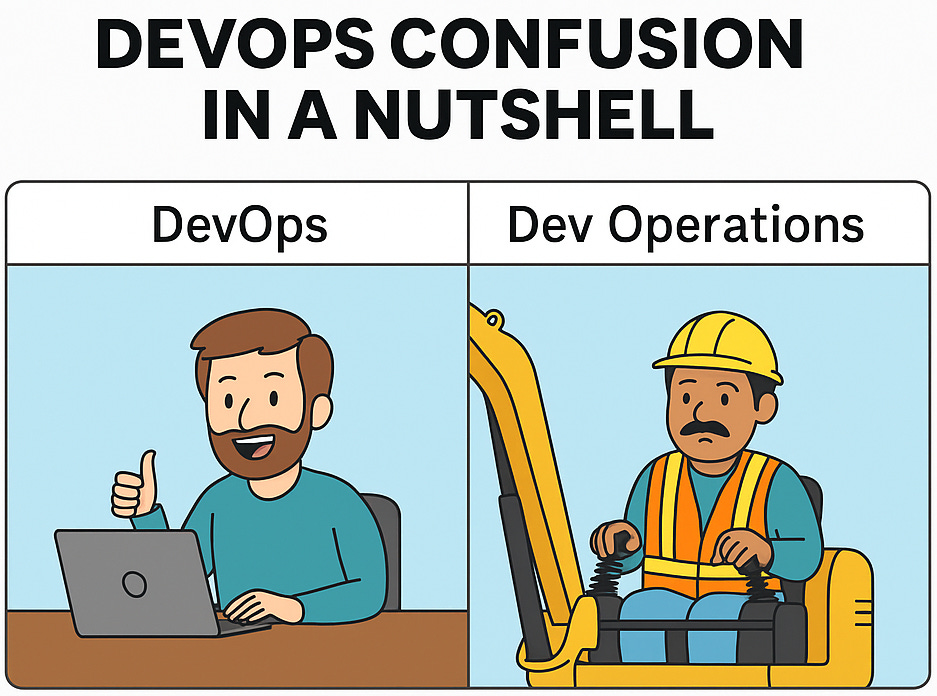
Quick pause – because DevOps myths deserve meme treatment too:
🧪 Hands-On: Try Salesforce CI/CD with GitHub Actions
For mid-level Salesforce professionals aiming to level up
If DevOps culture is the foundation, automation is the engine that powers it. Here’s a quick hands-on exercise to demystify Salesforce CI/CD using GitHub Actions.
This example sets up a workflow that:
Step 1: Checks out your repo
Step 2: Installs the Salesforce CLI
Step 3: Authenticates with your Dev Hub
Step 4: Creates a scratch org
Step 5: Deploys your code
Step 6: Runs all Apex tests
Step 7: Deletes the org when done
✅ Sample Workflow (simplified):
name: Salesforce CI
on:
push:
branches: [ main ]
pull_request:
branches: [ main ]
jobs:
deploy:
runs-on: ubuntu-latest
steps:
- name: Checkout
uses: actions/checkout@v2
- name: Install Salesforce CLI
run: |
wget https://developer.salesforce.com/media/salesforce- cli/sfdx/channels/stable/sfdx-linux-x64.tar.xz
mkdir ~/sfdx
tar xJf sfdx-linux-x64.tar.xz -C ~/sfdx --strip-components 1
echo "$HOME/sfdx/bin" >> $GITHUB_PATH
- name: Authenticate to Salesforce
run: |
echo ${{ secrets.DEVHUB_SFDX_URL }} > ./DEVHUB_SFDX_URL.txt
sf auth sfdxurl store -f DEVHUB_SFDX_URL.txt -a HubOrg
- name: Create Scratch Org
run: sf org create scratch --target-dev-hub HubOrg --alias ciorg --wait=10
- name: Deploy Code
run: sf project deploy start --target-org ciorg
- name: Run Apex Tests
run: sf apex run test -o ciorg -l RunLocalTests
- name: Delete Scratch Org
run: sf org delete scratch --target-org ciorg --no-prompt
You can find the full code here.
🛠️ What this gives you:
📌 Automatic deploys on every push/PR to main
📌 Validation in a fresh scratch org
📌 Test runs without manual clicks
📌 A clean teardown so you don’t hit scratch org limits
👉 Try it: Copy the sample into .github/workflows/salesforce-ci.yml in your repo, update secrets for your Dev Hub, and push. You’ll see a Salesforce-flavored CI/CD pipeline in action.
💡 Level Up Your Pipeline
Once your first CI/CD workflow is running, you can extend it with:
🧩 Static code analysis (PMD, CodeScan) to enforce quality gates
🧩 Automated approvals for merges into main
🧩 Rollback steps to instantly revert bad deployments
🧩 Notifications to Slack/Teams when builds fail
These upgrades turn a basic pipeline into a production-ready safety net – giving your team speed and confidence.
Adapted from Packt's successful book, Salesforce DevOps for Architects, by Rob Colwell and Lars Malmqvist.
🔍 Real-World Case Study: Faster Salesforce Deployments with DevOps
One Salesforce team struggled with siloed environments, manual handoffs, and long release cycles. Deployments took three full days, slowing delivery and frustrating business stakeholders.
💡 Working with InfoGain, they adopted a DevOps approach:
💡 Unified version control and metadata repositories
💡 Automated a CI/CD pipeline across environments
💡 Trained cross-functional teams on new practices
The results:
🎯 Release cycles shortened to every two weeks
🎯 Deployment SLA cut from 3 days to just half a day
🎯 Over 100 user stories deployed smoothly in each cycle
👉 Proof that culture + automation = speed and reliability in Salesforce delivery.
(Based on InfoGain's case study: InfoGain Case Study)
DevOps isn’t a finish line – it’s a practice.
Start small, measure often, and keep improving.
👉 Tell us: What’s your biggest DevOps challenge today?
🔮 Next issue, we’ll flip the script: Anti-Patterns – real-world recoveries and lessons. Stay tuned.
🙋 We’d Love Your Feedback
Help us shape future editions of Salesforce Pulse.
Share your thoughts by filling out this quick form
📣 Talk to the community
We’re looking for Salesforce professionals – architects, consultants, admins, devs – to contribute insights and experiences. You can:
🔹 Write a guest article or opinion piece
🔹 Share a case study or success story
🔹 Participate in an interview or expert Q&A
🔹 Provide technical tips or walkthroughs
🔹 Collaborate on a recurring column
Fill out this form and let us know
If you wish to connect with me, feel free to reply to this email or DM me on LinkedIn
https://open.substack.com/pub/hamtechautomation/p/the-ai-job-apocalypse-welcome-to?r=64j4y5&utm_medium=ios